
Invoices and payments
Invoicing software that turns a finished job into an invoice
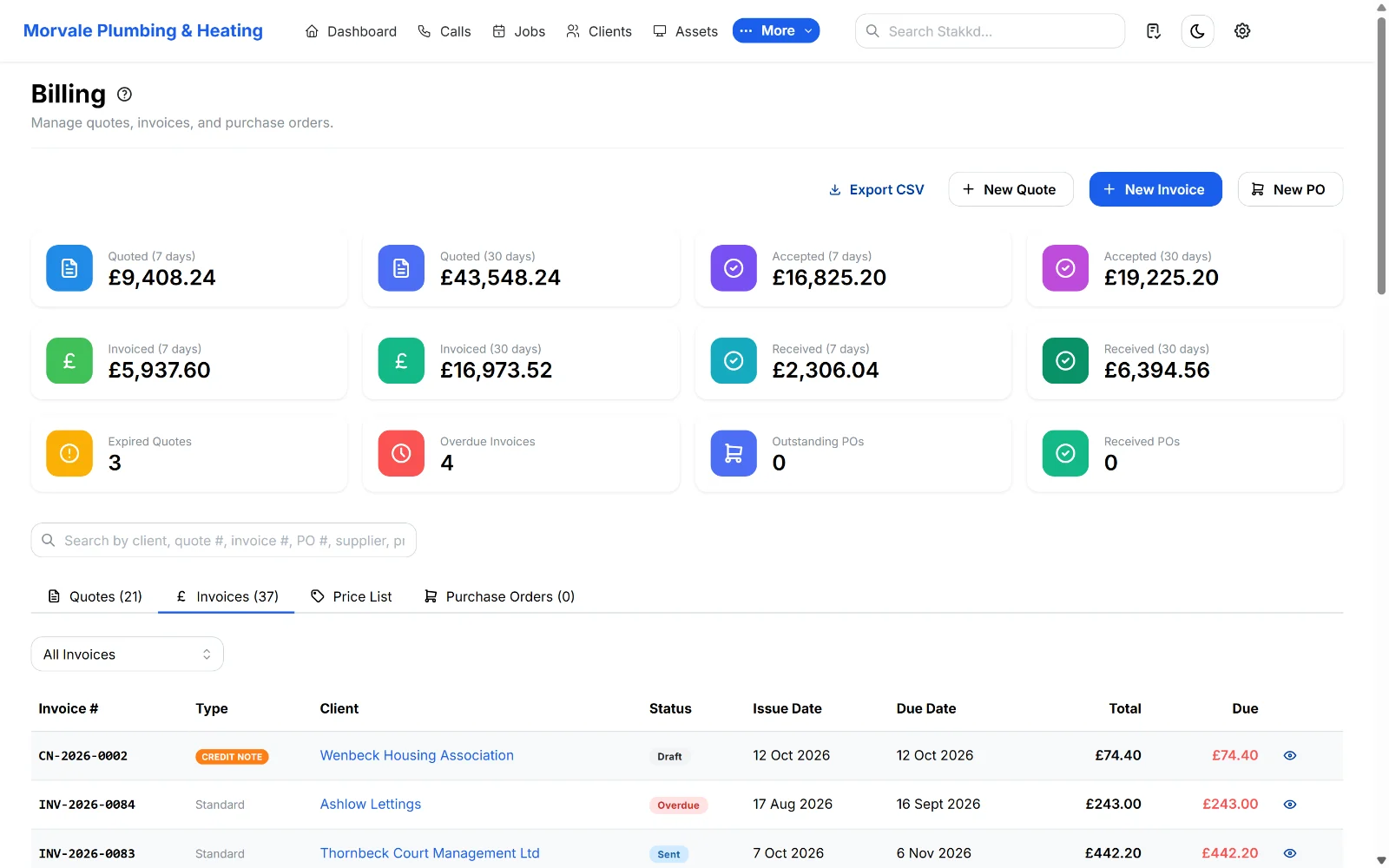
The finished job already has the work, the parts and the price on it. Turn it into an invoice in one click. The customer pays by card or Pay by Bank, and it goes across to QuickBooks or Xero.
14 days free, no card needed. No setup fee and no contract.
What you get
The invoice is already written
The job becomes the invoice, so nothing done on site gets left off. You can see who has paid and who hasn’t, and every invoice shows whether its email has actually gone.
Card and Pay by Bank, matched for you
Customers pay the invoice online by card, or by Pay by Bank where available. The payment marks the invoice paid, and you can refund from Stakkd if you need to.
QuickBooks and Xero, both ways
Clients, invoices, credit notes and payments go across to QuickBooks or Xero. Payments you record there come back and mark the invoice paid.
Where this sits in Stakkd
The parts of Stakkd this page covers, and the plan each one is on.
Invoices
Invoice straight from the finished job, then see who’s paid and who hasn’t.
Card payments
Customers pay invoices online by card, or by Pay by Bank where available. The payment is matched to the invoice for you.
QuickBooks and Xero
Clients, invoices, credit notes and payments go to QuickBooks Online or Xero. Payments you record there come back and mark the invoice paid.
Purchase orders
Raise POs against jobs so materials are costed to the right job.
Reports
Takings, work in the pipeline and how busy each engineer is.
Common questions
Stakkd for your trade
Pick your trade to see how Stakkd handles your jobs, certificates and paperwork.
Electrical
Your electricians fill in EICRs, EICs and minor works certificates on their phones. Defects turn into a quote. Every result stays with the property.
Plumbing & heating
Log the no-heat call and slot it in around the day’s work. Annual services book themselves in. The invoice is written when the job’s done.
Property maintenance
Planned maintenance books itself in and reactive jobs go in around it. Managing agents and landlords log in to see the job, the photos and the certificate.
Gas engineers
Gas safety records, service records and warning notices on your phone. Signed on site, emailed to the landlord, and a reminder when the next one’s due.
Air conditioning
Every split, cassette and chiller on the asset register. Planned visits book themselves in from the contract. Breakdowns go in around them.
Fire & security
Contracts set the visits. Engineers fill in the fire alarm and emergency lighting certificates on site. Clients download them from the portal.
Drainage
Blocked drains don’t book ahead. Log the call, get the closest van there and invoice from the job. The customer pays by card online.
Cleaning
Regular cleans book themselves in from the contract. Cleaners record their hours in the app. Checklists and photos show the client it was done.
Landscaping
Grass cutting and hedge rounds book themselves in for the season. Quote the patio with options. Invoice from the work you’ve done.
Renewables
Quote with options, raise the deposit, order the kit against the job and plan the install days. The balance invoice is ready when you commission.
Invoice a job in Stakkd
Finish a job and turn it into an invoice in one click. 14 days free, no card needed.
14 days free, no card needed